
I couldn't stay on Zoom for more than 30 minutes.
The application slowed my computer. Everyone was doing all kinds of stuff—the way people do in a Zoom call. Talking, multitasking, getting distracted. I needed to work, but traditional video calls made it impossible.
Then I remembered something simple: cafes.
I felt motivated just by seeing people working around me. No one talked to me. No one interrupted. Just the presence of others doing their own thing kept me focused.
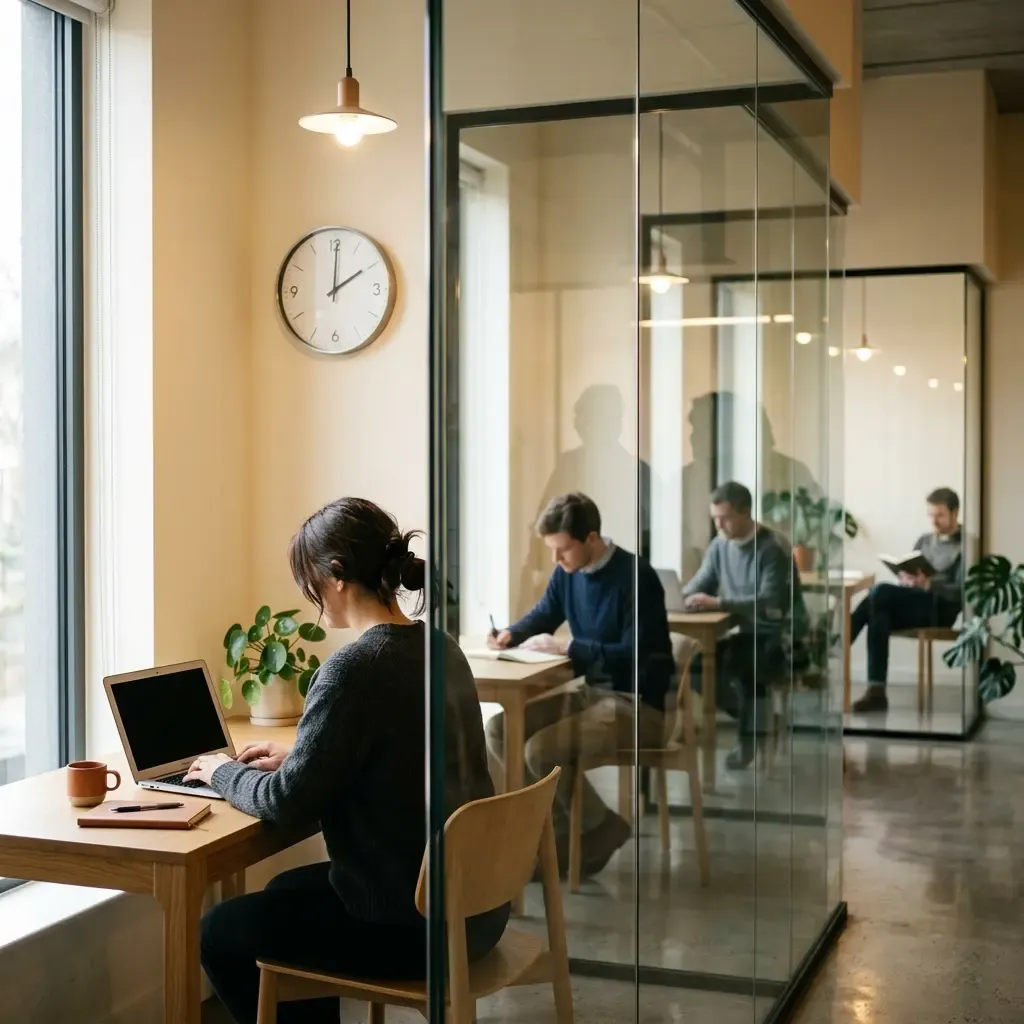
Later, working at WeWork with its glass-walled offices, I realized something. It felt like a virtual environment already. People visible, working silently, separated by transparent barriers. I thought: I can replicate this online.
So I built it.
#Why Most Online Study Sessions Fail
The problem with Zoom isn't just technical. Yes, it slows your computer. But the real issue is the interface itself.
When you open Zoom, you see buttons, dropdowns, chat notifications, gallery views. The interface demands attention. It's designed for meetings, not for quiet work.
People end up doing what they do in meetings: talking, reacting, managing the technology instead of focusing on their work.
Research backs this up. In a recent UK survey, 1,340 of 2,000 workers reported feeling distracted during the work day. Some lost nearly two hours daily to distraction—equivalent to 74 working days per year.
Remote workers with ADHD find daily tasks 17% more challenging than their on-site peers. The shift to remote work removed the ambient social presence that offices naturally provide.
You need a different setup entirely.
#The Mechanics of Silent Study Sessions
Here's what actually works: cameras on, mics off.
That's it. That's the core configuration.
You see other people working. They see you. No one talks. No one interrupts. You glance at the screen every 15 or 30 minutes, see someone else focused on their work, and you keep going.
When I first tried this with someone in Poland, we both became more productive. I stayed more focused. More motivated. Suddenly I wasn't alone anymore.
The difference from Zoom is simple: you're not managing the call. You're just working alongside someone.
The interface needs to disappear. When you look at the screen, you should see people working, not technology.
#What You Actually See
In my setup for StudyHall, there's a wall clock at the top. At the top of each hour, you hear a low-volume audio signal and the clock briefly changes appearance.
This rhythm matters. When working alone, you need to feel clock time passing. You need to know you've filled a work hour. Without that signal, you lose track. Time becomes formless.
There's also a chat panel where you can send short messages. Not for conversation—for quick coordination or brief check-ins. The chat creates a feeling of chatter and time passage without becoming a distraction.
You need that feeling. Otherwise, you're in a sterile environment, and that doesn't work either.
#Body Doubling: The Science Behind Shared Presence
This approach has a name: body doubling.
The concept isn't new. It dates back to an 1898 cycling study showing people perform better when working alongside others, not just when competing.
The mechanism is called social facilitation. People perform better on tasks when in the presence of others. Recent research shows that auditors who feel a greater degree of social presence with others are more skeptical and focused in their work.
The key insight: the body double's job is to not engage with you.
It requires energy to instruct, supervise, or be interrupted by another person. That expenditure of energy equals distraction. Body doubling works because the other person is just there, working on their own thing.
Focusmate, the largest virtual body doubling platform, conducted internal surveys showing their members report a 143% productivity increase. Neurodivergent users reported a 161% increase.
A 2025 VR study tested this in virtual reality. Participants finished tasks faster and perceived greater accuracy with both human and AI body doubles compared to working alone. The mechanism doesn't require a real person in the same room. Just perceived social presence.
When you glance at the screen and see someone working, something simple happens: you remember you're not alone. Someone is working together with you. That's enough.
#When to Talk vs. When to Stay Silent
I need to clarify something: I was working, not studying.
That distinction matters because it determines when you need silence versus when you need discussion.
Most work and study is done by yourself. Reading. Writing. Coding. Problem-solving. These activities require sustained focus, not collaboration.
When you want to discuss something for work or study, that's a different type of experience. That needs a real video conference. Active collaboration. Screen sharing. Back-and-forth.
But that's maybe 20% of your time. The other 80% is heads-down work.
For that 80%, silent sessions work better. You get the benefits of shared presence without the cognitive load of interaction.
#The Coffee Shop Effect
Research shows that consistent ambient noise at moderate levels (around 50-70 decibels) enhances creativity and focus for many people. This is called the coffee shop effect.
The gentle buzz of productive activity provides enough stimulation to keep your mind engaged without becoming distracting. Moderate levels of ambient noise enhance creative cognition by mimicking the presence of others.
Silent study sessions replicate this. Not through noise, but through visible presence and subtle environmental cues.
#Setting Up Your Environment
The technical requirements are straightforward:
- A webcam (built-in laptop cameras work fine)
- Stable internet connection
- A platform designed for this purpose, not for video conferencing
The physical space matters more than you'd think.
You need a consistent workspace where you can sit for extended periods. Not your bed. Not your couch. A desk or table where your brain associates the location with work.
Position your camera so others can see you're actually working. You don't need perfect lighting or a professional background. Just visibility.
The goal is to create an environment where the technology fades into the background and the work comes forward.
#Time Blocking with Pomodoro in Group Settings
Synchronized breaks change everything.
Research on the Pomodoro Technique shows that students using 25-minute work intervals followed by 5-minute breaks demonstrated higher focus levels (8.5 out of 10) and performance scores (82%) compared to those without structured breaks (6.2 focus level and 70% performance).
The Pomodoro group also had shorter study sessions—90 minutes versus 120 minutes—while achieving better results.
In group settings, the rhythm becomes shared. When the clock signals the top of the hour, everyone knows. You're not just managing your own time. You're moving through time together.
That shared rhythm creates accountability without pressure. You know others are working through the same intervals. You don't want to be the one who stops early.
#Why the Clock Signal Matters
The audio signal at the top of each hour serves a specific purpose: it marks progress.
When working alone, hours can blur together. You lose track of how much time you've invested. The signal reminds you that you've completed another hour of focused work.
That acknowledgment matters psychologically. You're not just working endlessly. You're accumulating completed work hours.
#What to Look for in Online Study Halls
If you're choosing a platform, focus on these elements:
Minimal interface. You should see people working, not buttons and features. The technology should disappear.
Camera default to on. This creates accountability. If cameras are optional, people turn them off and the whole mechanism breaks down.
Microphones default to off. Silence should be the baseline. Any talking should be intentional and rare.
Shared clock or timer. Everyone needs to move through time together. This creates the rhythm.
Minimal chat. A chat panel for quick messages works. A full chat system becomes another distraction.
No teaching or instruction. The platform isn't for learning from others. It's for working alongside them.
The goal is to replicate the library experience. Quiet. Focused. Shared presence without interaction.
#Common Problems and Practical Solutions
The biggest mistake people make when trying this for the first time: they expect it to feel productive immediately.
It doesn't. The first session feels awkward. You're aware of the camera. You're conscious of being watched. That's normal.
By the third or fourth session, the awkwardness fades. The camera becomes background. You stop performing and start actually working.
Give it time.
#Other Issues I've Seen
People treat it like a social hangout. They want to chat, catch up, build relationships. That's not what this is for. If you want social connection, schedule a separate call.
Poor internet connections. If your video keeps freezing or dropping, it breaks the presence. You need stable internet for this to work.
Wrong environment. Trying to do this from a noisy location or while lying in bed defeats the purpose. You need a proper workspace.
Multitasking. If you're checking email, browsing social media, or switching between tasks, you're not actually working. The camera makes this obvious, which is the point.
#How to Know If It's Working
You'll know this approach works when you notice these signs:
You work longer without realizing it. Sessions that would normally feel like a grind pass more easily.
You check your phone less. The presence of others creates a subtle accountability that keeps you focused.
You feel less isolated. Remote work can be lonely. This fixes that without requiring social interaction.
You complete more deep work. The kind of focused, uninterrupted work that actually moves projects forward.
The mere presence of other people makes you work better and be more productive. That's the core mechanism. Everything else is just structure to support it.
#What This Actually Replaces
This isn't a replacement for collaboration. You still need meetings, discussions, and active teamwork for certain tasks.
This replaces the empty hours of working alone at home. The time when you're supposed to be focused but keep getting distracted. The sessions that drag on forever without producing results.
It gives you the structure of an office or library without requiring you to leave your home.
For self-directed professionals studying independently or through online courses, this creates the environment you need to actually make progress. Not through instruction or teaching. Through shared, quiet presence.
That's what StudyHall does. It doesn't tell you what to learn. It gives you the environment to sit down, concentrate, and get the work done.
The same way a real library does. Just built for modern professional life at StudyHall.